How to create Bybit API Keys
To create Bybit API keys, please follow steps as follows.
If you DO NOT have a Bybit account
Then please sign up
We appreciate if you provide the referral code 148059 in the registration form field.
If you already have an Bybit account
Then please log in
Create subaccount
We strongly recommend creating a dedicated subaccount for Cifrum trading. Here's why:
-
Isolated Balances: Your trading funds remain completely separate from your main account. This limits exposure and makes risk management straightforward.
-
Dedicated Reports: Track Cifrum performance independently with clean P&L statements, trade history, and analytics — no need to filter through unrelated transactions.
-
Granular API Control: Subaccount API keys only access that subaccount's funds. Your main account stays untouched even if keys are compromised.
-
Easy Auditing: Clear separation simplifies tax reporting and portfolio reviews.
To create a subaccount:
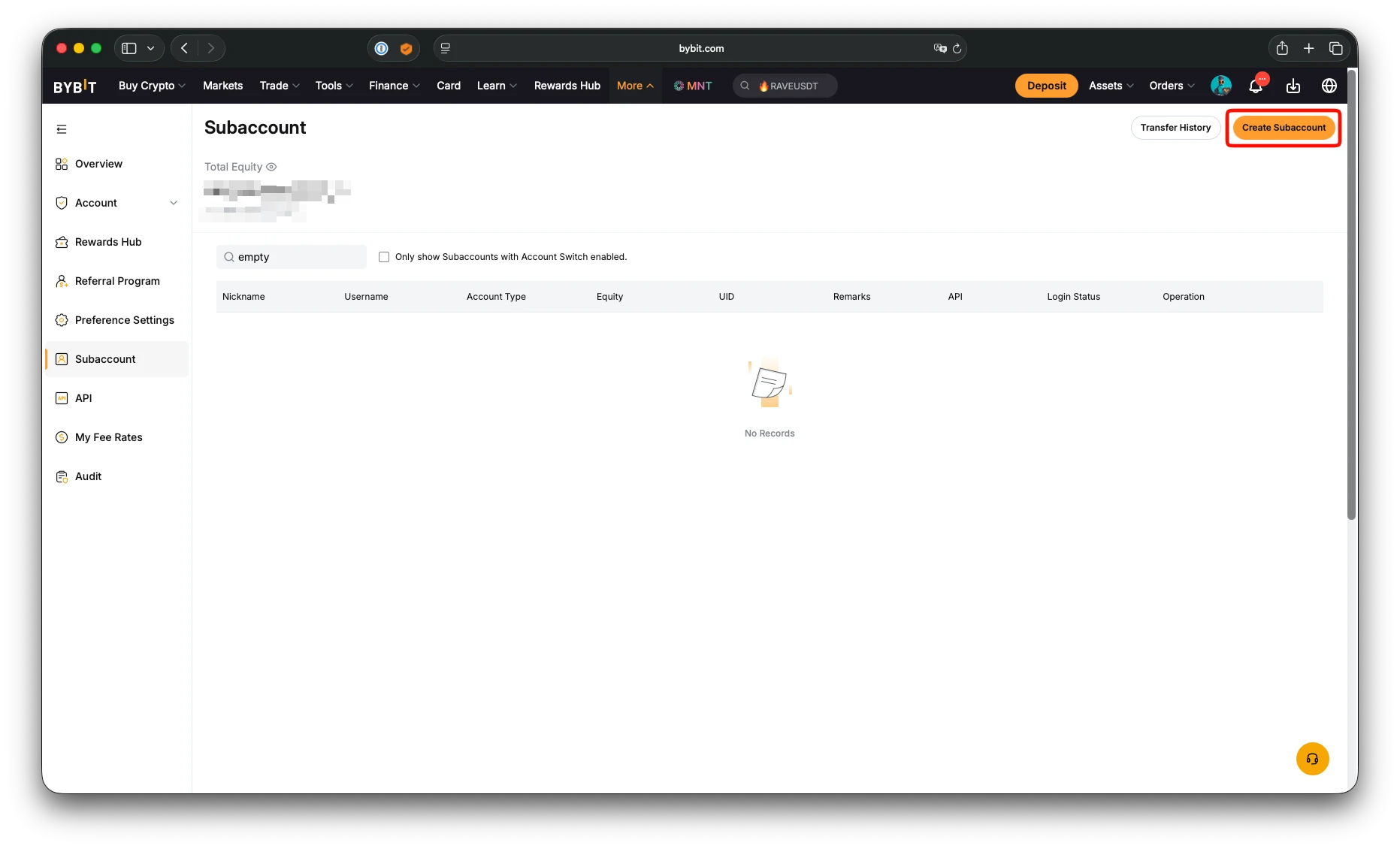
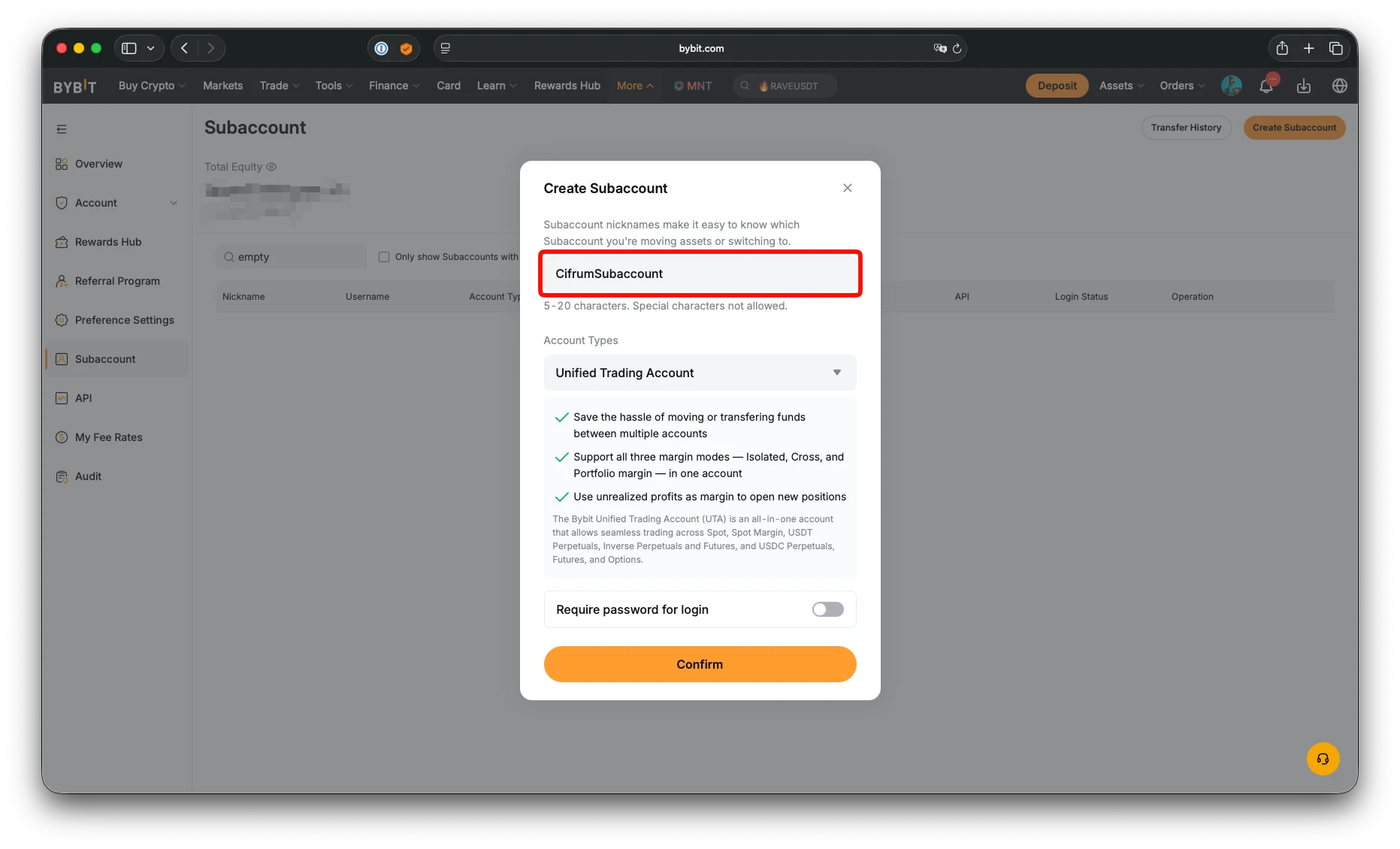
- Go to Subaccount Management and click Create Subaccount
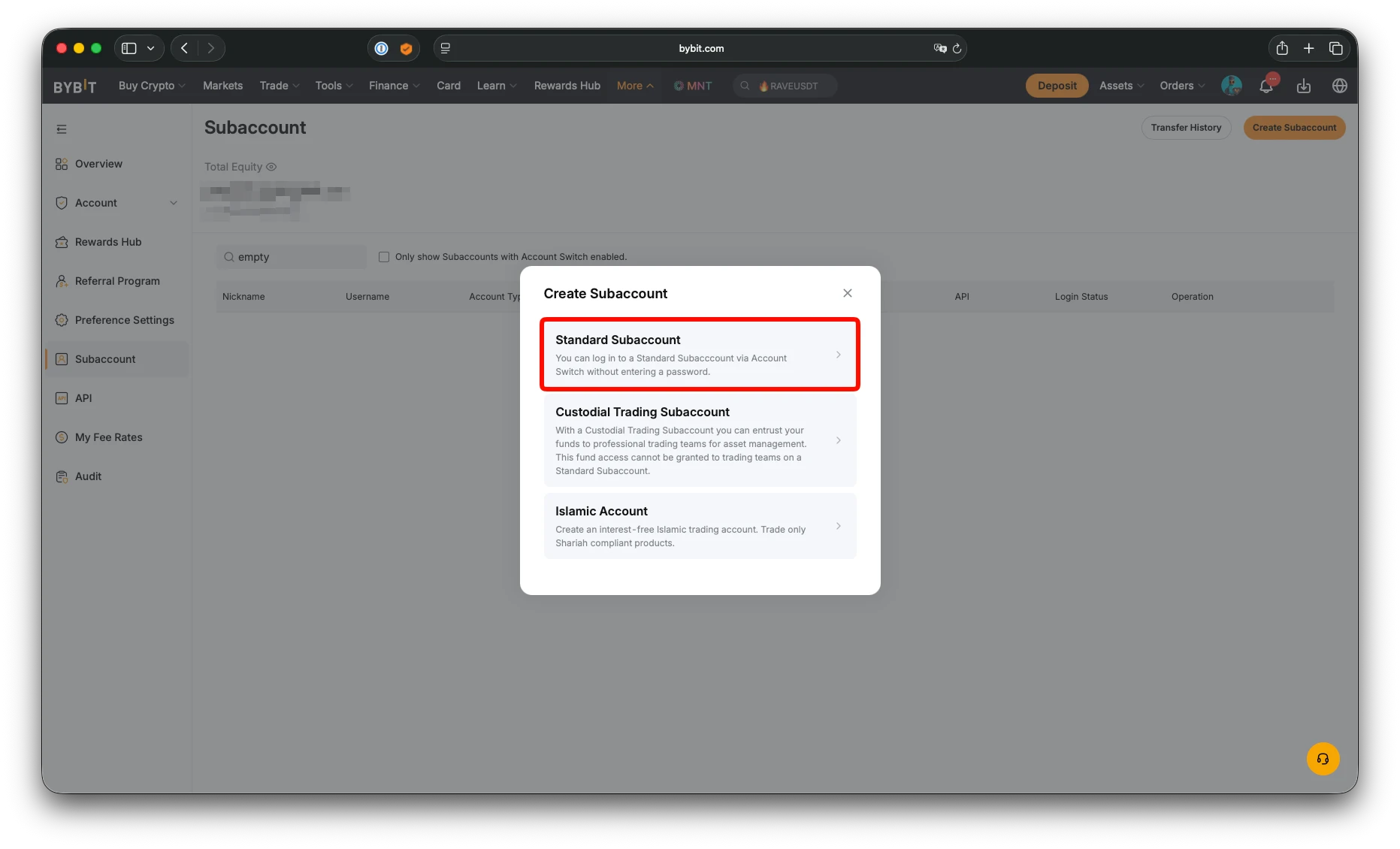
- Select Standard Subaccount
- Enter a descriptive name (e.g.,
CifrumSubaccount) and click Confirm
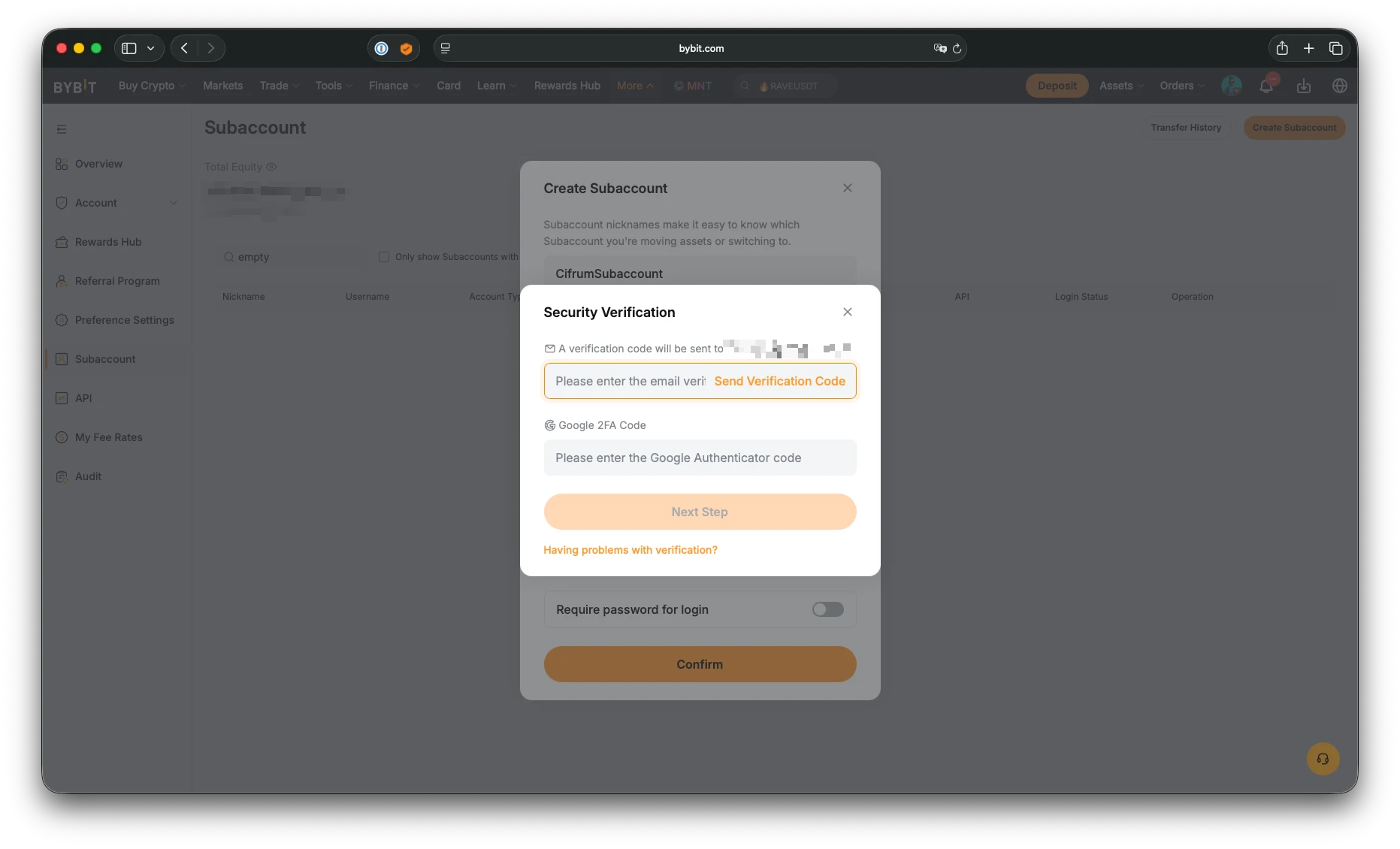
- Complete the security verification — enter the email code and Google Authenticator code, then click Next Step
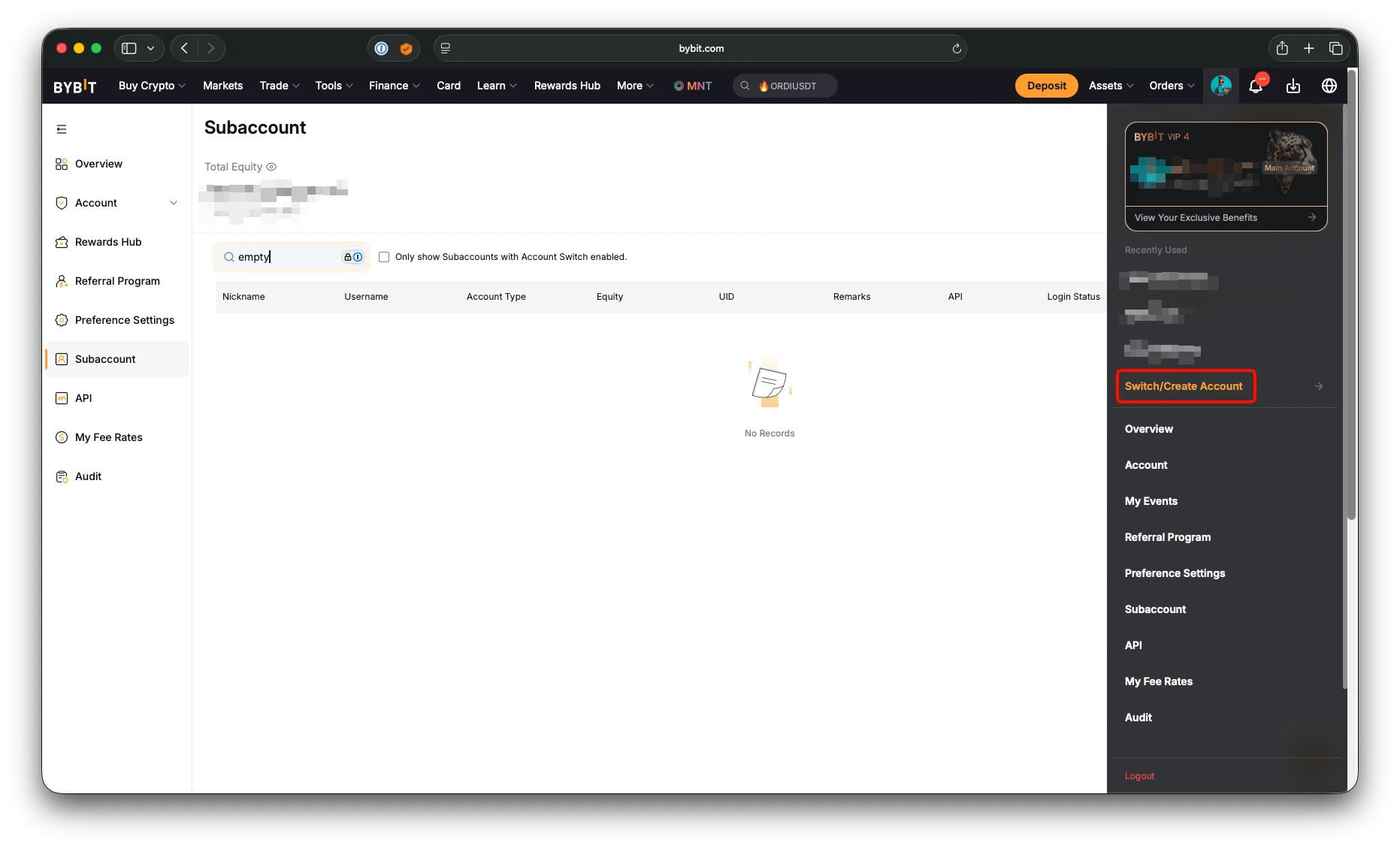
- Your subaccount is now created. To switch to it, click your profile icon and select Switch/Create Account
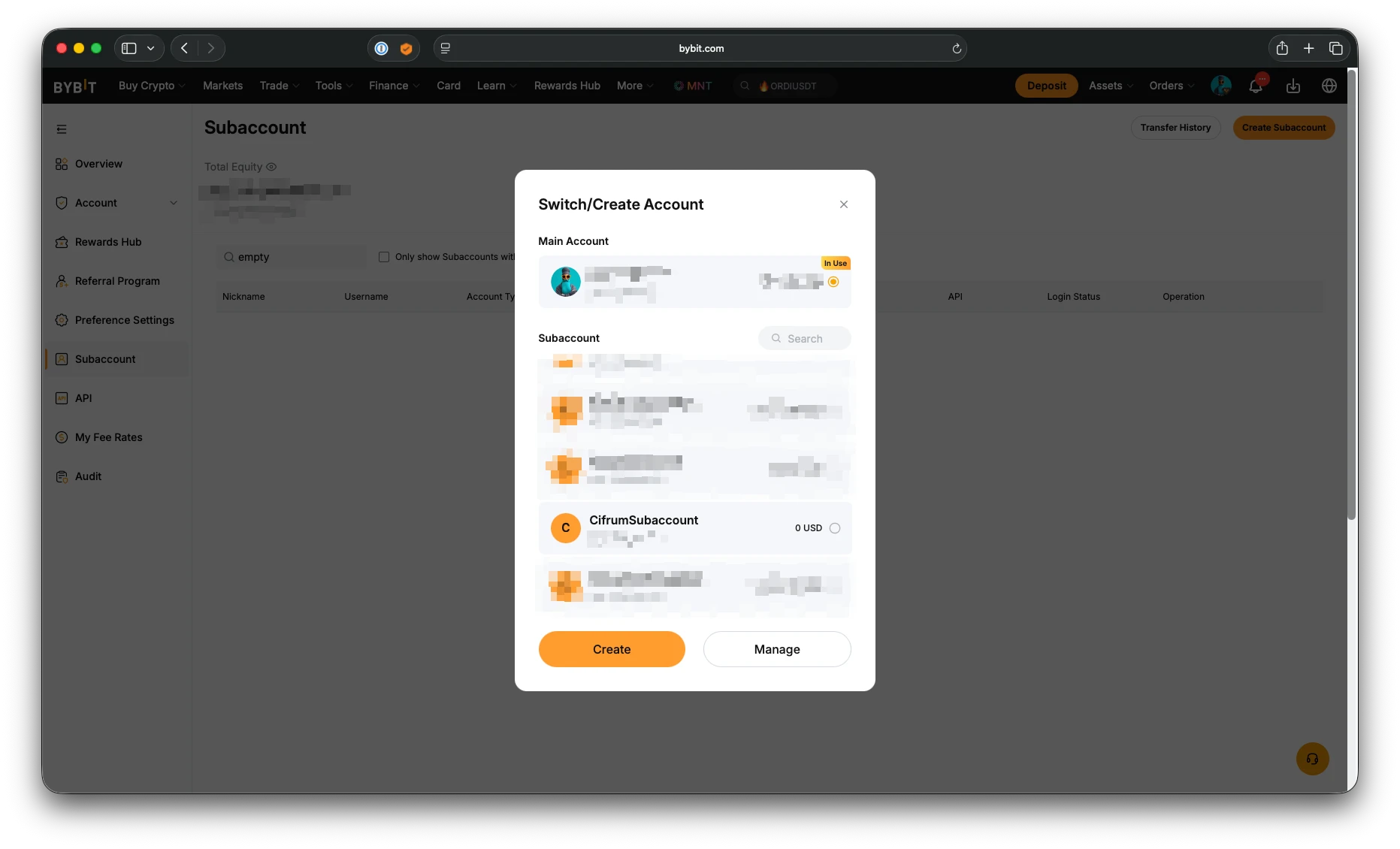
- Select your new subaccount from the list
- To creane an API key for the subaccount you need to add bacis protection: enable Google Two Factor Authentication on the subaccount by clicking Settings
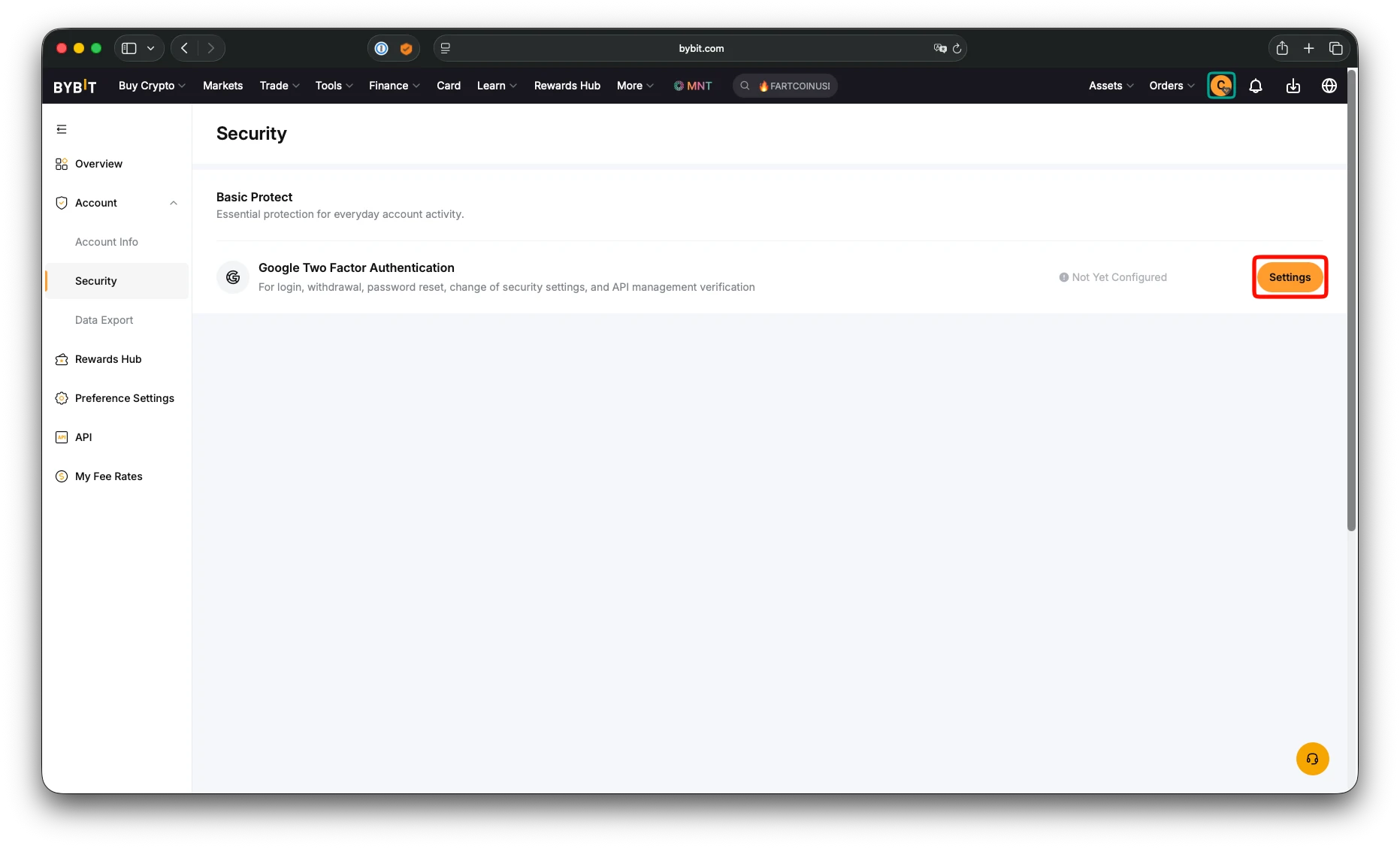
You now can create API key for the subaccount.
Create API key
- Go to API keys page
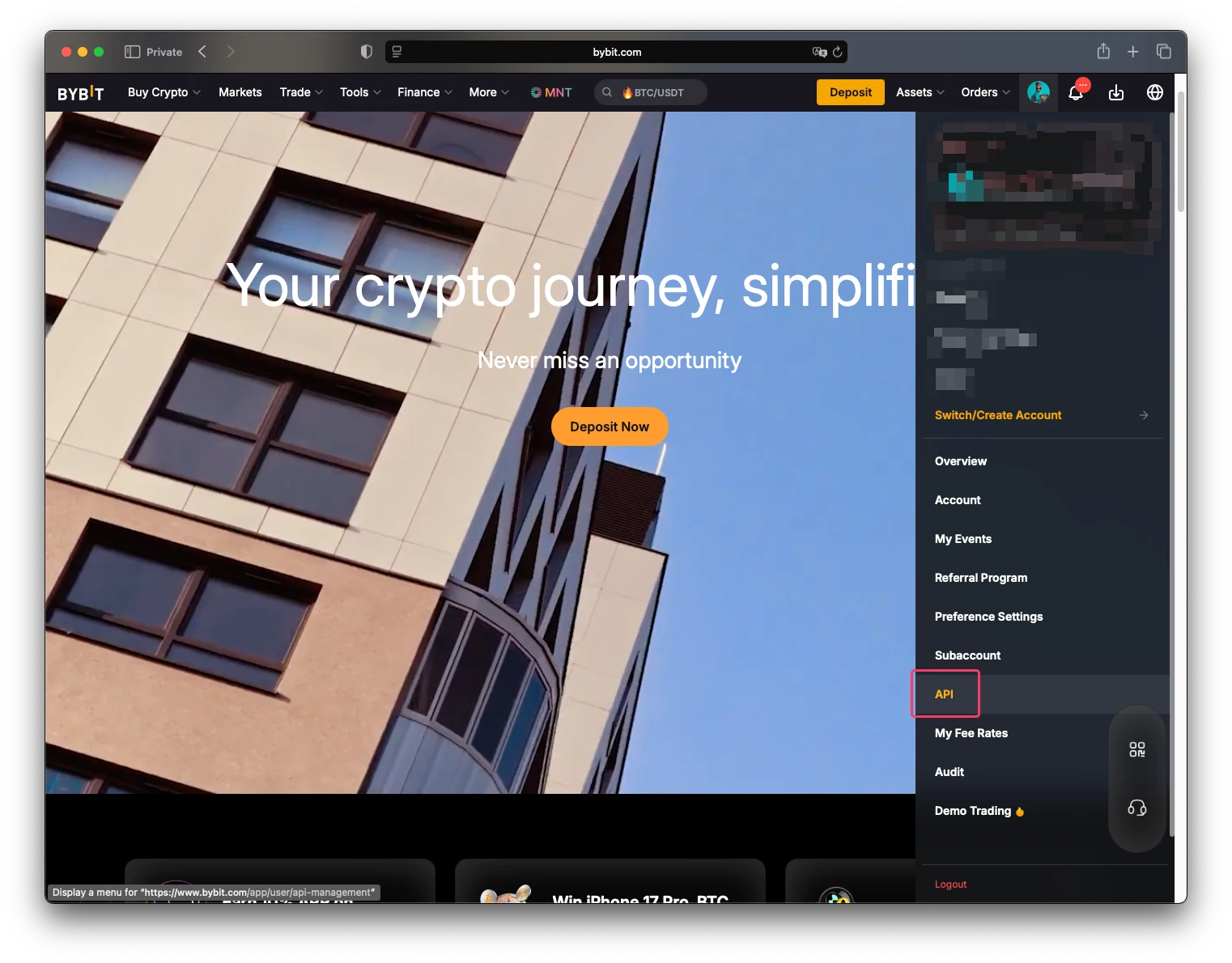
- Click on "Create API Key" button
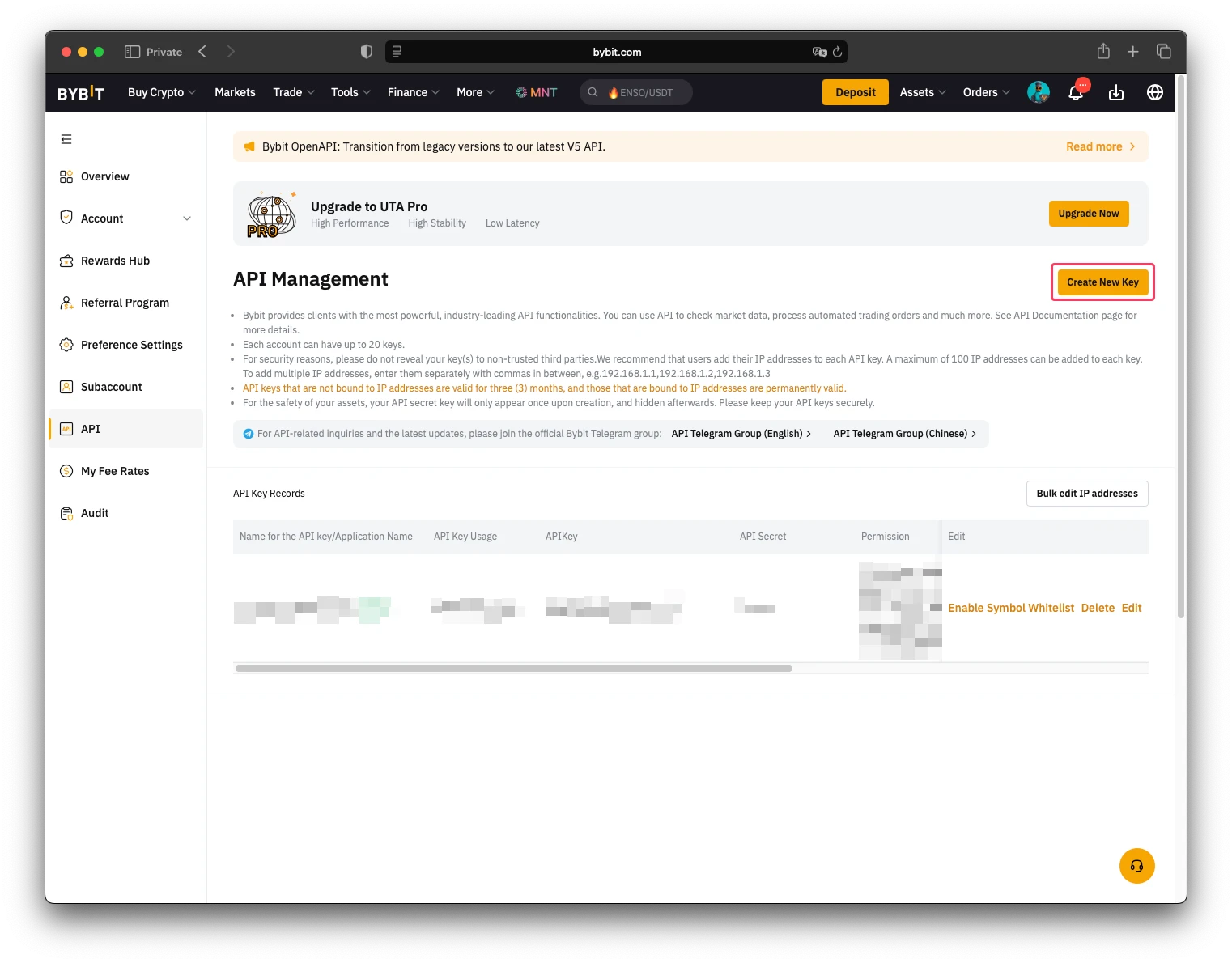
- Click on "System-generated API Keys"
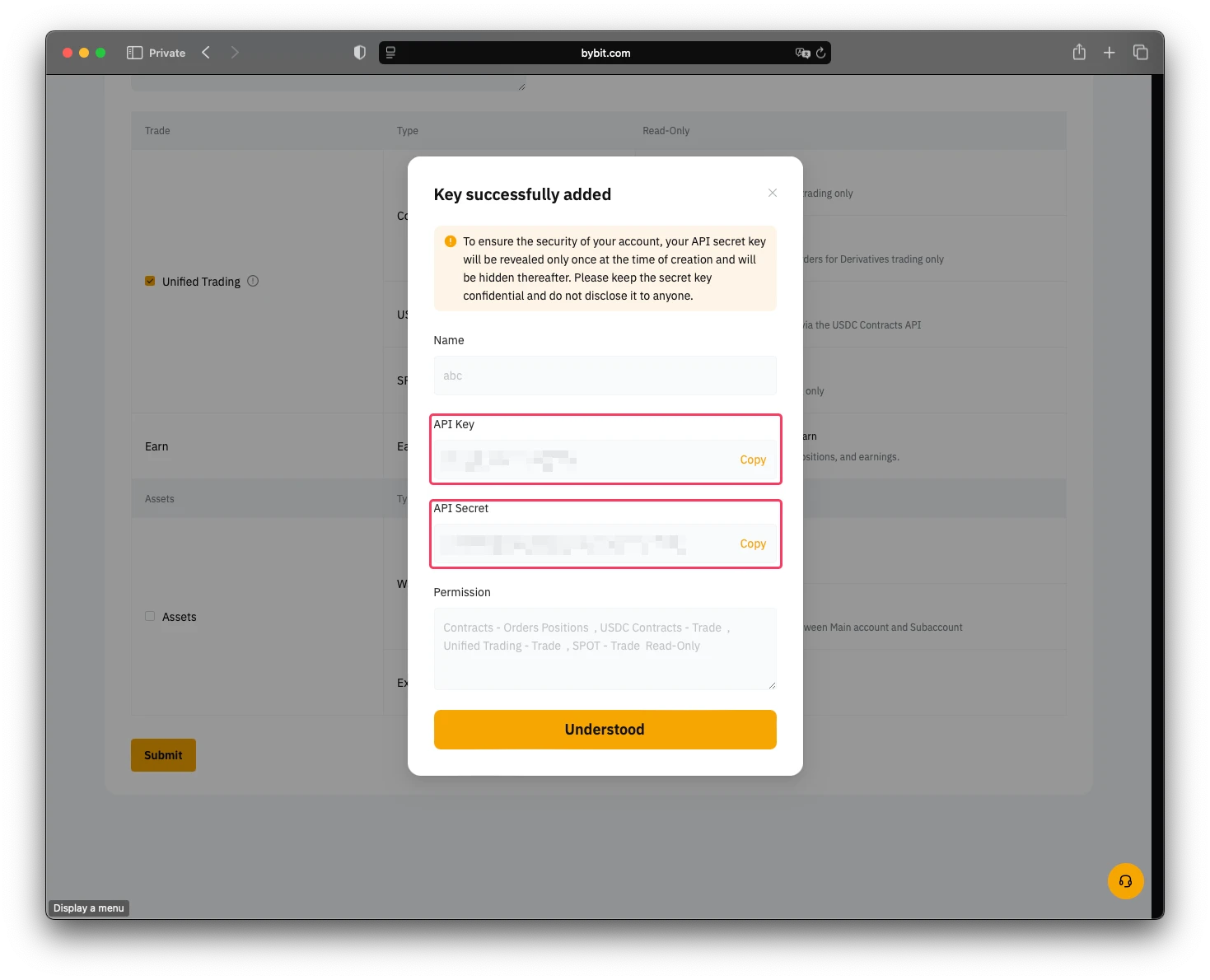
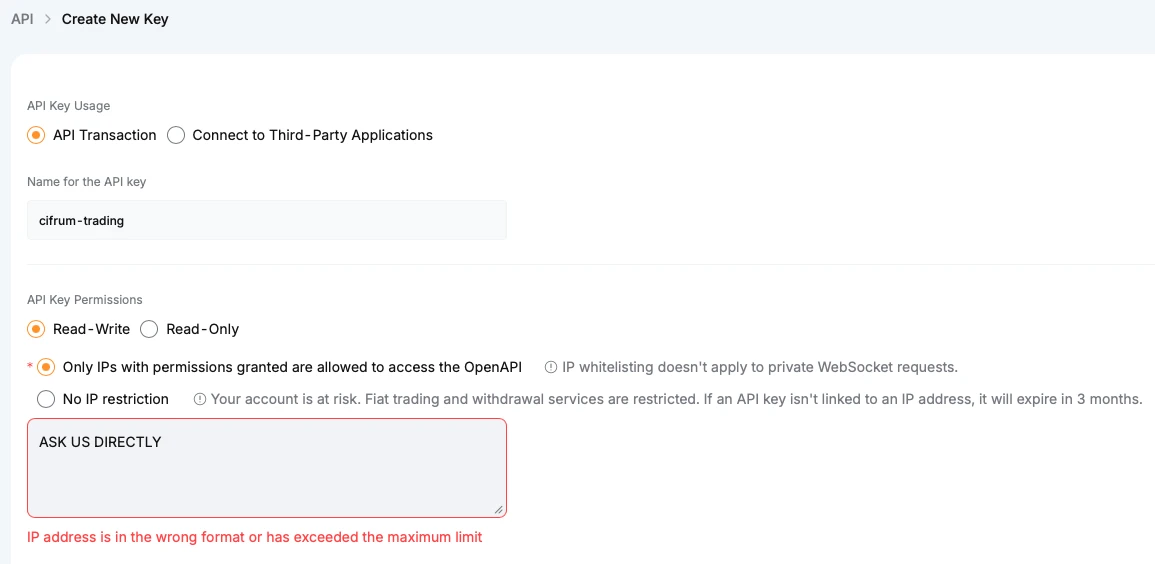
- Fill in the form as shown below:
- "API Key Usage" set to "API Transaction"
- "Name for the API key" is any string related to the key usage. E.g.
cifrum-trading - "API Key Permissions" is "Read-Write"
- Select "Only IPs with permissions granted are allowed to access the OpenAPI". Then ASK US DIRECTLY how to fill the textbox below.
- And finally select "Unified Trading" which automatically includes "Contract", "USDC Contracts" and "SPOT"
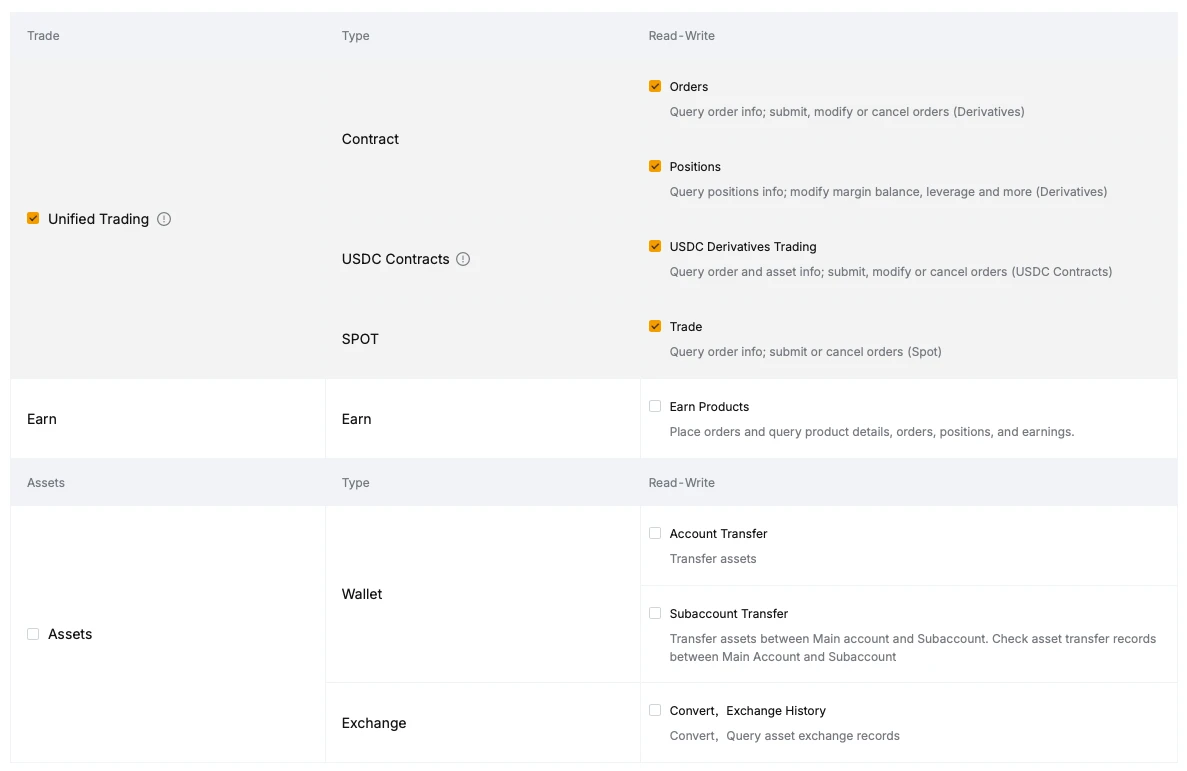
- Then click Submit button.
- Then please share with our support team "API key" and "API Secret key"